Editable 2024 Small Business Planner
Running a small business means juggling dozens of moving parts every day. You need to track finances, manage projects, plan content, and still find time to think strategically about where your business is heading. That is exactly why the Editable 2024 Small Business Planner exists. This Canva template and KDP interior bundle gives you a complete planning system that you can tailor to your specific workflow. Instead of trying to fit your business into a generic planner, you get to shape the planner around how you actually work.
A Planner That Adapts to Your Business, Not the Other Way Around
Most planners force you into a rigid structure. You end up skipping pages or ignoring sections that do not apply to your industry or business model. The Editable 2024 Small Business Planner flips that dynamic. Because it is built in Canva and comes with an editable link, you can modify every element. Change section titles, adjust budget categories, or completely reorder the pages to match your priorities. For example, if you run a product-based business, you might want to move the monthly budget spread earlier in the planner. If you offer services, you can give the daily review section more space by removing pages you rarely use.
This level of customization matters because no two small businesses operate the same way. A freelance designer has different planning needs than a boutique retail owner or a solopreneur launching a digital course. With this bundle, you are not stuck with someone else's idea of what your planning process should look like. You build your own version.
What Comes Inside the Bundle
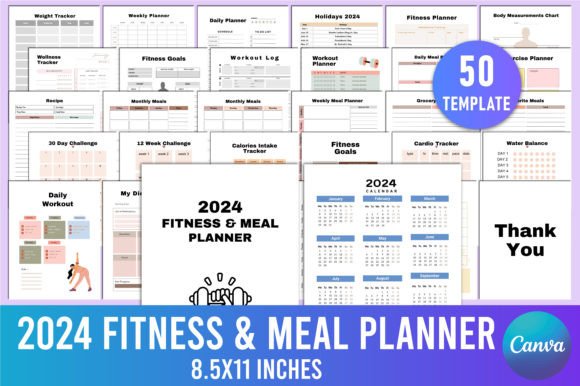
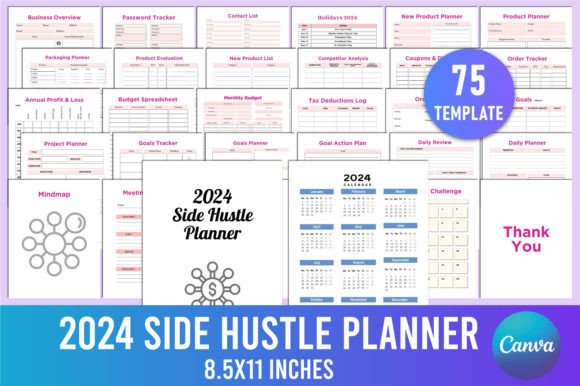
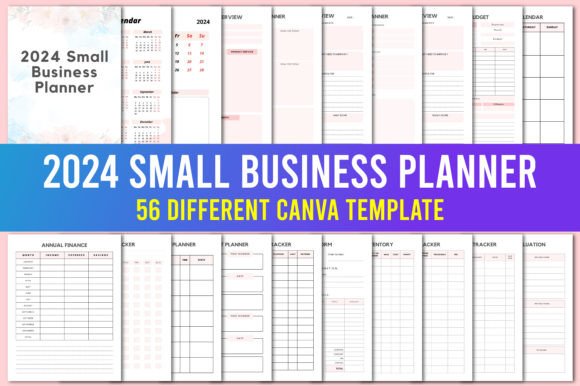
The planner includes a solid range of pages that cover both high-level strategy and day-to-day execution. You get a 2024 calendar, monthly planners, weekly planners, daily planners, and review pages for each time frame. There are also dedicated sections for budgeting, annual finance overviews, personal goals, and business overviews. Every page is designed to be edited in Canva, meaning you can adjust the layout, colors, and text to match your branding or personal taste.
Some of the most useful pages include:
- Daily Planner & Daily Review – Helps you stay focused on what matters today and reflect on what worked.
- Weekly Planner & Weekly Review – Great for content scheduling, project milestones, or client deliverables.
- Monthly Budget & Monthly Calendar – Keeps your finances visible and your deadlines organized.
- Annual Finance & Annual Overview – Perfect for year-end planning and tax preparation.
- Personal pages – Because running a business does not mean ignoring your own growth and well-being.
Having a mix of daily, weekly, monthly, and annual views allows you to zoom in and out as needed. You can plan a single day in detail while also keeping an eye on your quarterly revenue targets.
Creative Ways to Customize and Use This Planner
One of the biggest advantages of an editable Canva template is that you are not limited to the default design. You can treat the planner as a starting point and make it truly yours. Here are several approaches different users can take.
Rebrand It for Your Business Identity
If you already have a brand color palette and fonts, apply them to the planner. Change the header colors, update the background accents, and swap out any generic icons for ones that reflect your industry. A coach or consultant might use calm, professional tones. A creative agency could go bold and vibrant. When your planner matches your brand, it feels like a natural extension of your business rather than an off-the-shelf tool.
Build a Custom Dashboard for Your Most-Used Pages
Instead of using the planner in the original page order, copy your most essential spreads into a separate document. Combine the annual overview, monthly budget, and weekly planner into a single streamlined dashboard that you reference every day. This is especially useful if you are a freelancer or solopreneur who needs quick access to cash flow and upcoming deadlines without flipping through dozens of pages.
Adapt It for Content Planning
Marketers and bloggers can modify the weekly planner to function as a content calendar. Rename the columns to track blog posts, social media updates, email newsletters, and podcast episodes. Use the monthly calendar to map out content themes and launch dates. The daily review becomes a simple check on what content performed well and what you can improve next time.
Use It as a Client Project Tracker
If you work with multiple clients, the monthly planner can be adapted to track project phases, deliverables, and billing dates. Create a separate section for each client by duplicating the page and labeling it accordingly. The budget pages can then track project expenses and invoicing. This turns the planner into both a project management tool and a financial record for your freelance or agency work.
Print and Bind for Physical Use
Even in a digital world, many people prefer a physical planner they can write in. Because this bundle is designed for KDP interiors, you can format it for print-on-demand. Adjust the page size, add bleed, and export as a PDF. Print a copy for yourself or even sell customized versions on platforms like Amazon KDP. The editable link makes it easy to tweak the layout for different trim sizes or binding styles.
Practical Tips for Editing in Canva
Getting the most out of the Editable 2024 Small Business Planner means using Canva effectively. Here are a few recommendations to keep your editing smooth and your results professional.
- Always work on a copy. When you receive the editable link, go to your Canva home and create a duplicate of the document. This protects the original template and gives you a clean backup if something goes wrong.
- Use Canva's alignment tools. After moving elements around, use the position and alignment features to keep your pages looking polished. Consistent margins and spacing make a huge difference in print quality.
- Limit your color palette. Stick to two or three colors plus a neutral background. This keeps the planner visually cohesive without feeling chaotic.
- Test print a few pages before finalizing. If you plan to print the planner, export a few test pages and check that text is readable, borders are aligned, and no elements are cut off.
- Save page variations separately. If you create multiple versions for different months or clients, save each variation as a separate Canva project. This avoids clutter and makes it easy to locate what you need later.
Who Benefits Most from This Planner
This bundle is designed for a wide range of users, but it resonates especially well with certain groups.
Small business owners who wear multiple hats every day will appreciate having a single system that covers operations, finances, and personal growth. Instead of using separate tools for budgeting, scheduling, and goal tracking, everything lives in one customizable document.
Freelancers and solopreneurs can adapt the daily and weekly pages to track project-based work. The flexibility to rename sections and adjust layouts means you can align the planner with your niche, whether you are a writer, designer, photographer, or consultant.
Content creators and bloggers will find the monthly and weekly spreads ideal for mapping out editorial calendars, collaboration deadlines, and revenue tracking from multiple income streams. The review pages help you reflect on what content strategies are actually driving results.
Designers and publishers can use the template as a base for creating planners to sell. The KDP interior compatibility means you can customize the design for different audiences and publish your own versions. This is a practical way to expand your product line without starting from scratch.
Educators and hobbyists can simplify the planner to focus on personal projects, course planning, or creative goals. Strip out the finance pages if they are not relevant and emphasize the monthly calendar and daily review sections instead.
Keeping Your Planning Clear and Effective
A planner is only useful if you actually use it consistently. Here is how to make sure your customized version works for you in the long run.
Set a regular time each week to update your planner. Even ten minutes on Sunday evening to review the upcoming week and adjust your priorities can make a significant difference in your productivity. Pair the planner with a simple digital calendar for appointments and deadlines, and rely on the physical or printed pages for deeper reflection and budgeting.
Resist the urge to overcomplicate the design. A clean, uncluttered layout is easier to work with month after month. Use the editable Canva link to strip away any sections that do not serve your current goals, and do not be afraid to add extra pages if you find yourself running out of space in a particular section. Flexibility is the whole point of an editable template.
Finally, revisit your planner structure every quarter. Your business in March may look very different from your business in October. Adjust the page order, update your budget categories, or swap out the weekly review format as your needs evolve. The editable link makes this ongoing customization effortless.
The Editable 2024 Small Business Planner is more than just a collection of pages. It is a foundation that you build on. Whether you print it, use it digitally, or turn it into a product to sell, the real value lies in how well it fits your specific way of working. Take the time to customize it thoughtfully, and you will have a planning system that supports your business all year long.