Streamlining KDP Content Creation with a Primary Composition Notebook Story Interior
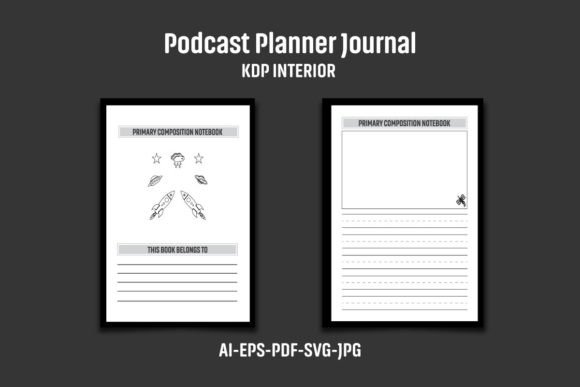
The landscape of low-content and medium-content publishing on Amazon KDP is characterized by intense competition and razor-thin margins for error. For publishers aiming at the educational sector, particularly primary school materials, the interior layout is not merely a design choice; it is the core product. A Primary Composition Notebook Story -KDP interior file serves as the architectural blueprint for a publication that must meet the rigorous expectations of educators and the practical needs of young learners. Success in this niche depends less on generic templates and more on understanding how a well-structured interior integrates into a sustainable publishing workflow.
Deconstructing the Publisher's Toolkit: File Formats and Their Roles
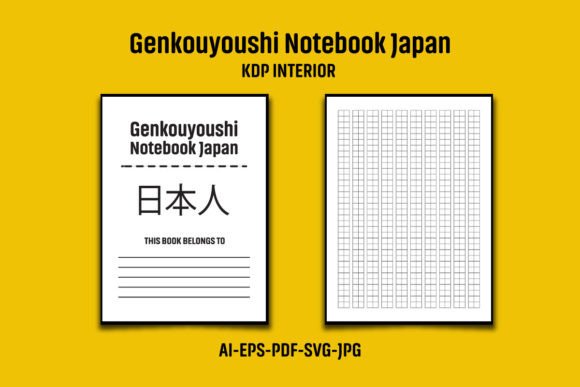
A robust KDP interior package provides a suite of file formats, each designed for a specific stage of the production cycle. A comprehensive Primary Composition Notebook Story Paper KDP Interior package typically includes AI, EPS, PDF, JPG, and SVG files. Understanding the distinct utility of each format allows a publisher to move seamlessly from customization to publication.
Master Files for Deep Customization (AI and EPS CS6)
For the content creator who wishes to modify the very structure of the notebook, the AI and EPS files are indispensable. These vector-based files, saved in CS6 version for broad software compatibility, grant access to every element within the layout. A publisher can adjust the thickness of handwriting lines, alter the spacing between rows, or modify the size of the story illustration box to meet specific curriculum standards. This level of control embodies the "build your own interiors" philosophy, transforming a standard template into a unique product. The AI file provides deep layer control, while the EPS ensures portability across different vector editing software, offering a safety net for publishers who may switch tools in the future.
Ready-to-Upload PDF and Preview Assets
The PDF file is the centerpiece of the KDP upload process. A 110-page PDF, precisely formatted to 8.12 x 10.25 inches with bleed, eliminates the technical guesswork of print-on-demand publishing. It represents the most direct path from concept to a live Amazon listing. In contrast, the two JPG files serve a marketing and proofing function. They allow the publisher to create preview images for the "Look Inside" feature on Amazon or to inspect the visual weight of the pages before committing to a print run. The SVG file adds an extra layer of flexibility, enabling the publisher to create scalable graphics for web banners, social media promotions, or custom cover elements without loss of resolution.
Technical Precision: Size, Bleed, and Resolution as Quality Signals
The technical specifications of an interior file are direct indicators of product quality. The Primary Composition Notebook Story -KDP interior dimensions of 8"x10" are intentionally chosen for this demographic. This trim size provides ample space for a young child to practice letter formation and draw accompanying illustrations, without being as unwieldy as a standard 8.5"x11" sheet. The bleed area (extending the canvas to 8.12 x 10.25 inches) is a mandatory technical requirement for KDP. Failure to include bleed results in thin white margins on the edges of trimmed pages, an immediate mark of amateur production.
Resolution is another critical, yet often overlooked, factor. A Black and White High Resolution Interior set at 300 DPI ensures that the dashed midlines, solid baselines, and picture frame borders render with perfect sharpness in print. At lower resolutions, lines can appear jagged or fuzzy, which undermines the precision required for handwriting practice. The combination of correct bleed, optimal trim size, and high DPI signals to the consumer that the product has been professionally developed, which directly impacts conversion rates and reduces return rates.
The Duplicate Content Challenge: A Necessary Safeguard
One of the most significant risks in KDP publishing is account suspension or listing suppression due to duplicate content. Amazon’s algorithms are highly effective at flagging books that share identical interior content. This is where the instruction to "add your logo or graphic to the Interior page before uploading to KDP" becomes critically important. The provided Primary Composition Notebook Story -KDP files are a starting point, not a finished product. The publisher bears the responsibility of inserting unique branding elements.
This involves more than just a simple logo placement. Strategic customization might include adding a unique footer to the handwriting practice pages, a custom title page, or a branded back page. The files are compressed in a single ZIP file, requiring extraction using tools like WinRAR or WinZIP. This packaging is deliberate, preserving the integrity of the original files while allowing the publisher to create their unique version. This workflow protects both the original template creator and the publisher, ensuring that the final KDP upload is distinctly unique and compliant with Amazon's content policies. A publisher who skips this step risks listing suppression. A publisher who embraces it builds a defensible brand asset.
Scalability: Building a Brand Ecosystem Around a Single Interior
The most strategic use of a Primary Composition Notebook Story Paper KDP Interior is as the foundation for a product series. A single 110-page interior file is a single asset. However, a brand is built through a cohesive series of related products. The AI and EPS files make it possible to rapidly iterate. For example, a publisher can use the base template to create:
- Volume 1: Primary Composition Notebook with larger handwriting lines for Kindergarten.
- Volume 2: Primary Composition Notebook with standard handwriting lines for First Grade.
- Teacher Edition: A version with embedded prompts or a grading rubric on each page.
- Subject Specific: A version titled "My Story Journal" with a different graphic on the cover but the identical, trusted interior quality.
By altering the cover design and making subtle tweaks to the graphic elements within the AI file, a publisher can produce a coherent family of products. This trains the customer to recognize and trust the publisher's brand. When a child finishes one notebook, the parent or teacher is much more likely to search for the next volume from the same publisher, creating a recurring revenue stream and building long-term customer loyalty.
Operational Efficiency for the Self-Publisher
Time is often the most scarce resource for a self-publisher. Designing a 110-page handwriting interior from scratch involves establishing a precise grid, setting up paragraph styles for different line types, and ensuring every page aligns perfectly with the story box and line spacing. This process can easily take several hours of meticulous, repetitive work. A pre-validated interior file eliminates this overhead.
Further operational gains come from cost efficiency. Hiring a graphic designer to create a custom 110-page manuscript from scratch is a significant expense. A well-constructed interior template offers a professional-grade starting point for a fraction of the cost. This allows the publisher to allocate their budget towards higher-leverage activities, such as professional cover design, targeted Amazon Ads, or keyword optimization tools. The publisher's focus shifts from being a page layout technician to being a product manager and marketer.
Practical Considerations for Asset Management
The delivery of the interior files within a single ZIP file necessitates good digital housekeeping. Upon downloading, the files should be immediately extracted to a dedicated project folder. Maintaining separate directories for the unedited master files (AI, EPS, PDF) and the working files (edited versions with logo added) prevents version control confusion. Publishers working on multiple notebook volumes benefit greatly from a consistent file naming convention.
It is also important to acknowledge the software requirements. While the PDF is universally accessible, full utilization of the AI and EPS files requires Adobe Illustrator or a capable alternative such as Affinity Designer or CorelDRAW. The publisher must be comfortable with basic vector editing tasks, such as placing images, adding text, and exporting to PDF. The final proofing step remains non-negotiable. Even when starting from a professional template, the publisher must visually inspect the final PDF page by page to ensure that the added branding elements are correctly positioned and that the black-and-white specification is maintained for cost-effective print-on-demand production. This careful attention to detail transforms a generic template into a distinctive, market-ready publication.