Daily Anxiety Log Book KDP Interior: A Practical Guide to Building a Consistent Tracking System
Structuring a reliable mental health journal or anxiety log for print-on-demand requires more than just a cover design and a few blank pages. The interior layout determines whether the user actually fills in the entries long-term or abandons the book after a week. The Daily Anxiety Log Book KDP Interior offers a tested, production-ready framework that simplifies the entire process — from file preparation to customer satisfaction. This article walks through what this interior template includes, how it fits into a real content creation workflow, and how to integrate it effectively whether you are a publisher, a therapist building resources, or a creator launching a wellbeing brand.
What the Daily Anxiety Log Book KDP Interior Actually Provides
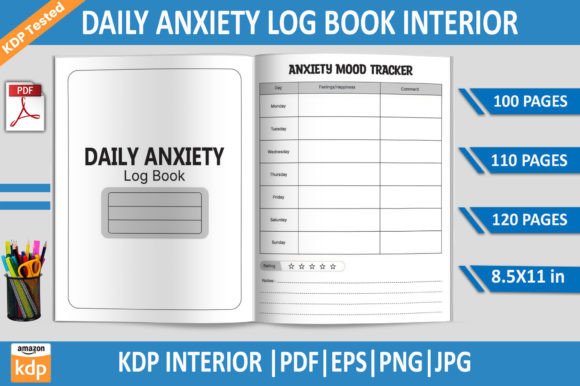
At its core, this KDP interior is a set of pre-designed, print-ready files for a daily anxiety tracking journal. The package includes PDF files at 100, 110, and 120 pages, plus editable EPS files, high-resolution JPGs, and a transparent-background PNG. Every file is sized at 8.5 x 11 inches, at 300 DPI, and has been tested on Amazon KDP to confirm it meets upload and print quality standards. There is no bleed option included, so you can work with standard trim sizes without worrying about edge trimming issues.
What makes this interior valuable for workflow is the way it removes guesswork. You don’t have to design a layout from scratch, worry about margins, or test print samples repeatedly. The structure is already there — you can open the files, customize branding or prompts, and move directly to publishing.
Where This Interior Fits in a Content Production Workflow
Understanding the lifecycle of a KDP project helps clarify exactly when this interior becomes useful. Typically, you start with market research — identifying a niche like anxiety management or daily reflection journals. Then comes content planning, design, file preparation, testing, upload, and finally promotion.
The Daily Anxiety Log Book KDP Interior fits squarely in the design and file preparation phase. Instead of spending days building a layout in Adobe InDesign or Illustrator, you import the EPS file, adjust colors or add your own branding elements, export the print PDF, and proceed to upload. For those who prefer not to edit at all, the included print-ready PDFs can go straight to KDP after a quick metadata check.
This is especially relevant if you publish multiple journals in a series. You can reuse the same interior structure across different covers and branding themes, cutting your production time per title significantly. Consistency across a product line also helps with customer expectations — if someone buys one of your anxiety logs and finds the layout intuitive, they are more likely to buy another.
Before Publication: Preparation and Customization
Before you upload anything to Amazon, spend time reviewing the EPS file in Adobe Illustrator or a compatible vector editor. Check the structure of each page layout. You might want to:
- Adjust prompt fields to match your target audience’s language. For example, replace generic terms like “anxiety level” with more specific scales if your niche is workplace stress or social anxiety.
- Add a dedicated notes section on each page for users who want to elaborate beyond checkboxes or rating scales.
- Incorporate a weekly or monthly summary page if the default pacing of 100–120 pages feels too open-ended.
- Change font styles to better match your cover design. A clean sans-serif may work for modern minimalist covers, while a gentle handwritten font can feel more personal.
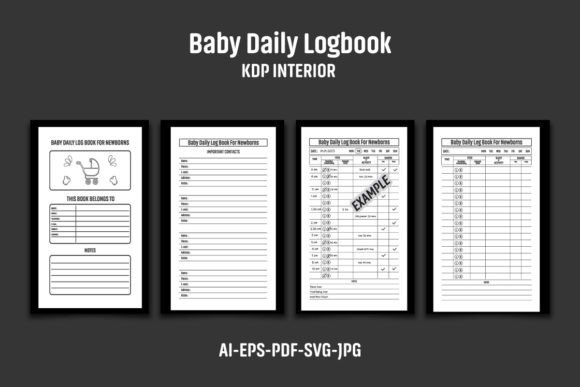
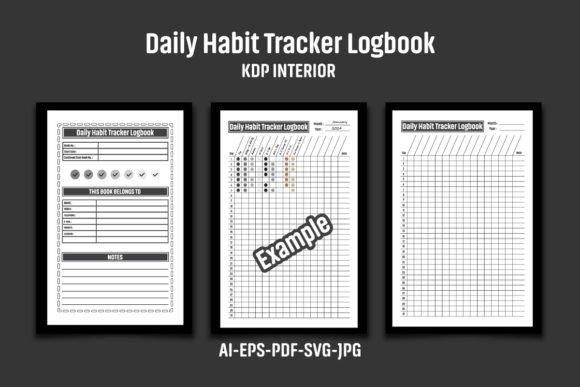
Because the files are supplied with transparent backgrounds and high resolution, you can also use the PNG and JPG versions for mockups, advertising images, or previews on your product page. Showing a clear interior spread helps buyers understand exactly what they are getting, which reduces returns and negative reviews.
During Publication: File Upload and KDP Testing
One of the stronger points of this interior is that the files are already KDP tested. This means you can skip the common trial-and-error phase where you upload a PDF only to receive a warning about margins, font embedding, or image resolution. The tested status gives you confidence that the print version will look as intended.
When uploading, follow these steps:
- Choose the PDF version that matches your desired page count — 100, 110, or 120 pages.
- Set the trim size to 8.5 x 11 inches in the KDP dashboard.
- Upload the file and run the KDP preview tool. Check a handful of pages to confirm text alignment and spacing.
- If you customized the EPS file, ensure all fonts are converted to outlines or embedded properly before exporting your final print PDF.
Using the EPS file gives you flexibility if you later decide to create a version with bleed for a different print service, or if you want to resize the interior for a different trim size. The vector format scales cleanly without losing quality.
After Publication: Ongoing Use and Repurposing
Once the book is live, the interior files remain useful. You can:
- Create a companion digital product by converting the PDF into a fillable form for tablet users or for email distribution.
- Use the same layout as a base for related journals — such as a gratitude log, mood tracker, or sleep diary. The daily log structure transfers easily with minor modifications.
- Revisit the EPS file later to produce a second edition with updated prompts or additional pages based on customer feedback.
Because you have editable source files, you are not locked into one release. That is a major advantage over buying a static PDF that cannot be modified without starting from scratch.
How This Interior Interacts with Other Tools and Assets
No interior template works in isolation. Your full production stack might include:
- Cover design software — You can match cover colors and fonts to the interior by referencing the EPS file elements.
- KDP dashboard — The tested PDFs reduce friction during upload, but you still need accurate metadata, keywords, and category selection to reach the right audience.
- Feedback channels — Customer reviews and questions can inform how you adjust the interior for future editions. For example, if multiple users mention wanting a simple rating scale instead of a complex checklist, you can update the EPS file.
- Print-on-demand testing — Even though the files are tested, ordering a single proof copy yourself lets you see paper quality, binding, and real-world usability. It also gives you authentic photos for your product page.
The EPS and PNG formats also make it easy to collaborate with a designer or virtual assistant. You can share the transparent PNG for mockups while handing the EPS to a designer for deeper edits, without worrying about file compatibility.
Implementation Tips for a Smooth Integration
Getting the interior files into your workflow is straightforward, but a few considerations can save time later.
Check page count against your target price point. Amazon KDP print costs depend partly on page count. A 100-page journal at 8.5 x 11 inches gives you a lower cost per unit than a 120-page version, which can affect your royalty. Decide which page count aligns with your pricing strategy before editing. You have three options in the package, so you can test all three and choose the one that fits your margin goals.
Work from a copy of the original files. Keep the original EPS and PDFs untouched in a separate folder. This gives you a clean fallback if a customization produces alignment issues or accidental changes to the layout.
Set up a naming convention. If you plan to release multiple versions, name your files clearly — for example, “Daily_Anxiety_Log_100pg_NoBleed_v2.eps” — so you always know which file corresponds to which product.
Use layers in Illustrator. If you are comfortable with vector editing, place your customizations on a separate layer above the original layout. That way you can toggle visibility, hide elements, or revert to the base design without losing your work.
Test your exported PDF before upload. Even small adjustments — like changing a font or shifting a text box — can affect page breaks or margins. Run the export through the KDP preview tool or a free online PDF validator before committing to upload.
Why Process Consistency Matters for a Journal Product
A daily anxiety log is not a purchase someone makes lightly. Users turn to these journals because they want structure, clarity, and a safe space to track their mental patterns. If the interior layout feels cramped, inconsistent, or confusing, the user may stop using the journal altogether — and leave a review reflecting that.
Using a tested, clean interior like this one reduces the risk of usability problems. The layout is predictable from page to page, the spacing allows for comfortable handwriting, and the 300 DPI resolution ensures crisp printing even on lower-grade paper stock. From a publisher’s perspective, this means fewer customer complaints, lower return rates, and a stronger reputation over time.
Consistency also carries over to your broader catalog. If you build a series of wellbeing journals that all use the same interior framework, customers who buy one are more likely to trust the quality of another. They already know exactly how the inside looks and functions.
Long-Term Value of Owning the Editable Files
One of the understated advantages of this interior package is that you own the editable source files. Unlike pre-built interiors that come only as flattened PDFs, the EPS format gives you ongoing control. Market preferences shift. You may want to update prompts to reflect new research on anxiety management. You may decide to offer a version with simplified language for teenagers or older adults. Having the source files means you never have to repurchase a similar product for a different audience.
If you are building a business around KDP publishing, this single interior can become a foundation for multiple titles. Change the cover, update the title page, adjust a few prompts, and you have a distinct product without reinvesting in a new layout design. That kind of modular workflow is what allows publishers to scale from one or two titles to a full catalog over time.
Furthermore, the included JPG and PNG files are practical for marketing. You can build social media posts showing the interior layout, create A+ content for your Amazon listing with high-resolution sample spreads, or even print a few physical copies for local markets without worrying about file quality.
Final Observations on Using This Interior in Your Workflow
The Daily Anxiety Log Book KDP Interior is best understood as a production tool, not a finished product. It saves you the hours or days you would otherwise spend creating a layout from scratch, and it does so with a tested format that reduces upload friction. But the real value comes from how you adapt it — the prompts you choose, the cover you pair it with, the audience you target, and the way you integrate customer feedback into future editions.
If you are launching a single journal, start with the 100-page PDF and focus your energy on pricing, keywords, and cover design. If you are building a series, invest time early in customizing the EPS file so that every journal in your line shares the same visual language and structure. And regardless of your approach, always preview your upload before publishing. Even tested files benefit from a final human check.
The combination of editable files, multiple page counts, and pre-confirmed KDP compatibility makes this interior a practical asset for anyone serious about publishing wellness journals consistently. It removes the repetitive part of the workflow so you can concentrate on the parts that actually differentiate your product in a competitive marketplace.