Optimizing Hotel Operations with a Centralized Status Logbook
Every hotel professional knows that a single forgotten room update or a missed handover note can cascade into guest complaints, double-booked maintenance visits, or a delayed check-in. In a fast-paced hospitality environment, the gap between knowing what needs to be done and communicating it effectively is often the difference between a five-star review and a frustration-filled stay. One deceptively simple solution that addresses this challenge head-on is the Hotel Status Log Book I KDP—a dedicated, purpose-built tool designed to capture, track, and share critical room and operational status information across shifts and departments.
The Hidden Cost of Miscommunication in Hospitality
Consider a typical morning at a mid-sized hotel: the night auditor has printed a report listing rooms that checked out, but the front desk agent updating the system forgets to note that Room 312 has a reported noise issue. Meanwhile, housekeeping has already sent a cart to that floor, only to be turned away because the guest is still sleeping. The maintenance team, using a separate sticky note system, schedules a repair for Room 312 without realizing the guest is still present. Multiply this by dozens of interactions, and the hidden cost of miscommunication becomes staggering—lost labor hours, frustrated staff, and guests who feel invisible.
Hotels often rely on digital property management systems (PMS) for bookings and billing, but these systems rarely serve as a real-time, centralized log for ongoing status updates. Shift turnover logs, maintenance requests, and special guest notes tend to live in separate spreadsheets, whiteboards, or mental notes. This fragmentation is where the status logbook steps in as a unifying tool. The Hotel Status Log Book I KDP offers a structured format that aligns every department around the same data, reducing errors and smoothing daily workflows.
Core Features That Drive Daily Efficiency
A well-designed status logbook does more than just provide blank lines. The Hotel Status Log Book I KDP includes a set of practical features that make it immediately useful for busy hotel teams. First, its 8.5 x 11 inch page size provides ample space for detailed entries while remaining easy to store in a binder or on a clipboard. The high-resolution 300 DPI PDF files ensure that printed pages are crisp, text remains legible in small boxes, and any handwriting or checkmarks stay clear even after multiple uses.
The file comes with options for 100, 120, or 150 pages, allowing hotel managers to choose a volume that matches their shift patterns and replacement frequency. Because the interior uses a no-bleed design, printing on standard home or office printers is hassle-free—no trimming or margin issues. This digital-ready format means the logbook can be uploaded directly to KDP for on-demand printing or downloaded and printed locally. For hoteliers who prefer a printed bound copy, the KDP publishing route provides a professional finish with minimal setup.
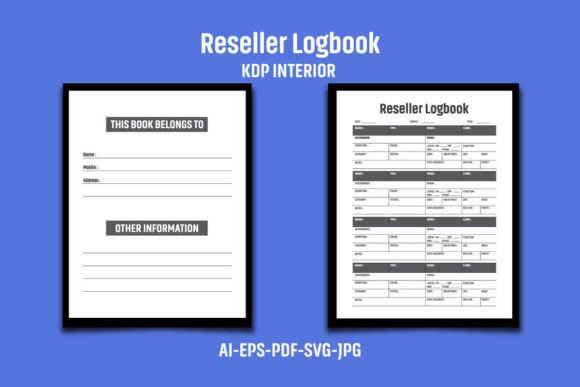
Beyond the technical specs, the logbook’s layout is built around fields that matter most: room number, current status (e.g., occupied, vacant, cleaned, maintenance needed), time stamp, staff initials, and notes. Some versions include a separate section for VIP guest alerts, pending check-outs, and cleaning priorities. These structured columns guide users to record actionable data quickly, rather than writing freeform notes that can be overlooked.
Front Desk and Reservations
At the front desk, the status log book serves as a live dashboard for room availability. When a guest checks out, the desk agent marks the room as “Ready for Inspection” in the log. Housekeeping sees this immediately at the start of their shift and prioritizes accordingly. During busy check-in windows, the front desk can refer to the log to confirm which rooms are truly clean and released, rather than relying solely on the PMS, which may lag behind by minutes. The Hotel Status Log Book I KDP includes dedicated columns for check-in time and estimated checkout, making it easy to forecast room turnover.
Housekeeping Teams
For housekeeping, the logbook replaces the need for separate assignment sheets. Supervisors can assign rooms during the morning briefing using the log, and cleaners mark their progress as they go. Special requests—extra pillows, a requested late cleaning, or a “do not disturb” sign observed—are noted in the remarks column. This visibility reduces confusion about which rooms have been started, finished, or skipped. Maintenance issues discovered during cleaning (e.g., a leaking faucet) are recorded directly in the log, triggering a notification to maintenance without requiring a separate work order.
Maintenance and Engineering
Maintenance teams benefit from having a single source of work orders. When a front desk agent or housekeeper notes a broken TV or a faulty lock in the log, the maintenance staff reviews the log at the start of their shift and organizes their route accordingly. Completed repairs are documented with a timestamp and initials, providing a record of turnaround time. This traceability is invaluable for assessing team efficiency and identifying recurring problems in specific rooms.
Management and Shift Handovers
During shift handovers—especially between evening and night, or night and morning—the logbook becomes the central communication tool. The departing manager reviews each entry with the incoming team, highlighting VIP arrivals, special requests, or unresolved issues. This structured handover reduces the risk of information being forgotten or misstated. The Hotel Status Log Book I KDP supports a standardized handover process that can be adapted to any hotel size, from boutique properties to large chains.
Implementation Strategies for Maximum Impact
Simply owning a status logbook isn’t enough; its effectiveness depends on consistent use and clear protocols. Hotel managers should start by designating a single physical location for the log—ideally at the front desk or in the back office where all departments have access. During team training, emphasize that every status change, even minor ones, should be recorded. For example, if a guest requests a late checkout and is approved, the front desk updates the log immediately so housekeeping can adjust their cleaning schedule.
Many successful hotels pair the logbook with a brief stand-up meeting at shift start, where staff flip through the last few pages to catch up. Over time, the logbook also doubles as a historical record. If a guest complains about a maintenance issue that was supposedly fixed, managers can check the log to verify when the repair was noted and completed. This accountability reduces disputes and helps identify training gaps.
Another best practice is to use different colored pens or highlighters for urgency levels—red for urgent repairs, blue for routine updates, green for completed items. This visual system speeds up scanning. The Hotel Status Log Book I KDP, with its clean layout and sufficient space, accommodates such color coding without becoming cluttered.
Why the Digital-Ready Design Matters for Modern Hotels
Today’s hotel staff are often juggling mobile devices, tablets, and desktop systems. A physical logbook might seem like a step backward, but many properties find that a tactile, always-visible log reduces reliance on fragmented digital tools. The key is that the logbook must be easy to generate and replace. The Hotel Status Log Book I KDP provides a PDF that is ready to upload to KDP, meaning managers can order a professionally printed copy with ease. The 300 DPI resolution ensures that any logos or header text appear sharp, and the no-bleed format simplifies printing on standard paper. For hotels that prefer a spiral-bound or wire-o binding, the PDF can be taken to a local print shop.
Having multiple page count options—100, 120, or 150 pages—allows for flexibility. A small bed-and-breakfast might only need a 100-page log that lasts several months, while a busy 200-room hotel might go through 150 pages in a few weeks. Managers can order refills or switch to a larger page count as needed.
Elevating Guest Experience Through Operational Consistency
When staff spend less time hunting for information and more time serving guests, the impact is immediate. Rooms are ready earlier, maintenance requests are resolved faster, and special requests are less likely to be overlooked. Guests notice the difference—they feel that the hotel is organized and attentive. The logbook enables this by ensuring that every staff member has the same accurate picture of the hotel’s status. For example, when a guest calls the front desk to request extra towels, the agent can check the log to see whether housekeeping is on that floor and direct them immediately, rather than putting the guest on hold.
The Hotel Status Log Book I KDP supports a culture of accountability and professionalism. When staff know that their entries are visible to colleagues and managers, they are more likely to complete tasks and record them accurately. This transparency builds trust across departments and ultimately enhances the hotel’s reputation.
Long-Term Benefits for Staff Morale and Operational Learning
Over months of consistent use, the logbook becomes a repository of operational patterns. Managers can analyze which rooms require frequent maintenance, which shifts produce the most updates, or which types of guest requests are most common. This data, though simple, can inform staffing decisions, training priorities, and preventive maintenance schedules. The logbook also reduces the stress of handovers; night shift staff no longer need to memorize a list of pending issues or rely on a colleague’s memory. They simply read the log.
For hoteliers who operate multiple properties or manage a franchise, standardizing on a logbook format like the Hotel Status Log Book I KDP ensures that staff can move between locations with minimal retraining. The consistent layout makes expectations clear from day one.
Considerations When Choosing a Status Logbook
Not all logbooks are created equal. Important factors to evaluate include the number of columns, the font size (must be legible when handwritten), the paper thickness to prevent ink bleed-through, and the binding type for durability. The Hotel Status Log Book I KDP addresses many of these concerns through its high-resolution design and professional KDP production. However, hotels should also consider whether they need additional sections, such as a daily summary page or a glossary of status codes. The 8.5 x 11 inch format leaves room for customization if the user wants to add extra columns in the margins.
Another consideration is whether to go fully digital with a tablet or app. While digital solutions offer real-time synchronization, they can be expensive, require training, and fail if the network goes down. A physical logbook never crashes, needs no passwords, and is instantly accessible to every employee. Many hotels find that a hybrid approach works best: use the logbook as the primary coordination tool, and enter summary data into the PMS at the end of each shift. This redundancy ensures that no status update is lost.
Building a Culture of Diligent Logging
The greatest logbook is useless if staff don’t use it faithfully. Implementation should start with clear expectations: every status change must be logged within five minutes. Managers should audit the logbook periodically, praising thorough entries and correcting omissions. Over time, logging becomes a habit, and the logbook evolves from a simple tool into the heartbeat of daily hotel operations. The Hotel Status Log Book I KDP provides the structure, but the team’s commitment gives it life.
As hotels continue to compete on experience, the small details make the biggest difference. A room that is ready on time, a maintenance issue resolved before the guest notices, a warm welcome that feels informed rather than scripted—all of these hinge on effective communication. The status logbook is a low-tech, high-impact investment in that communication. For any hotel professional looking to streamline operations, reduce errors, and elevate the guest experience, adopting a dedicated logbook is a practical first step. The Hotel Status Log Book I KDP offers a field-tested format that is ready to use today, helping hotels turn daily chaos into consistent excellence.